
We built a gaming lineon the same rules.
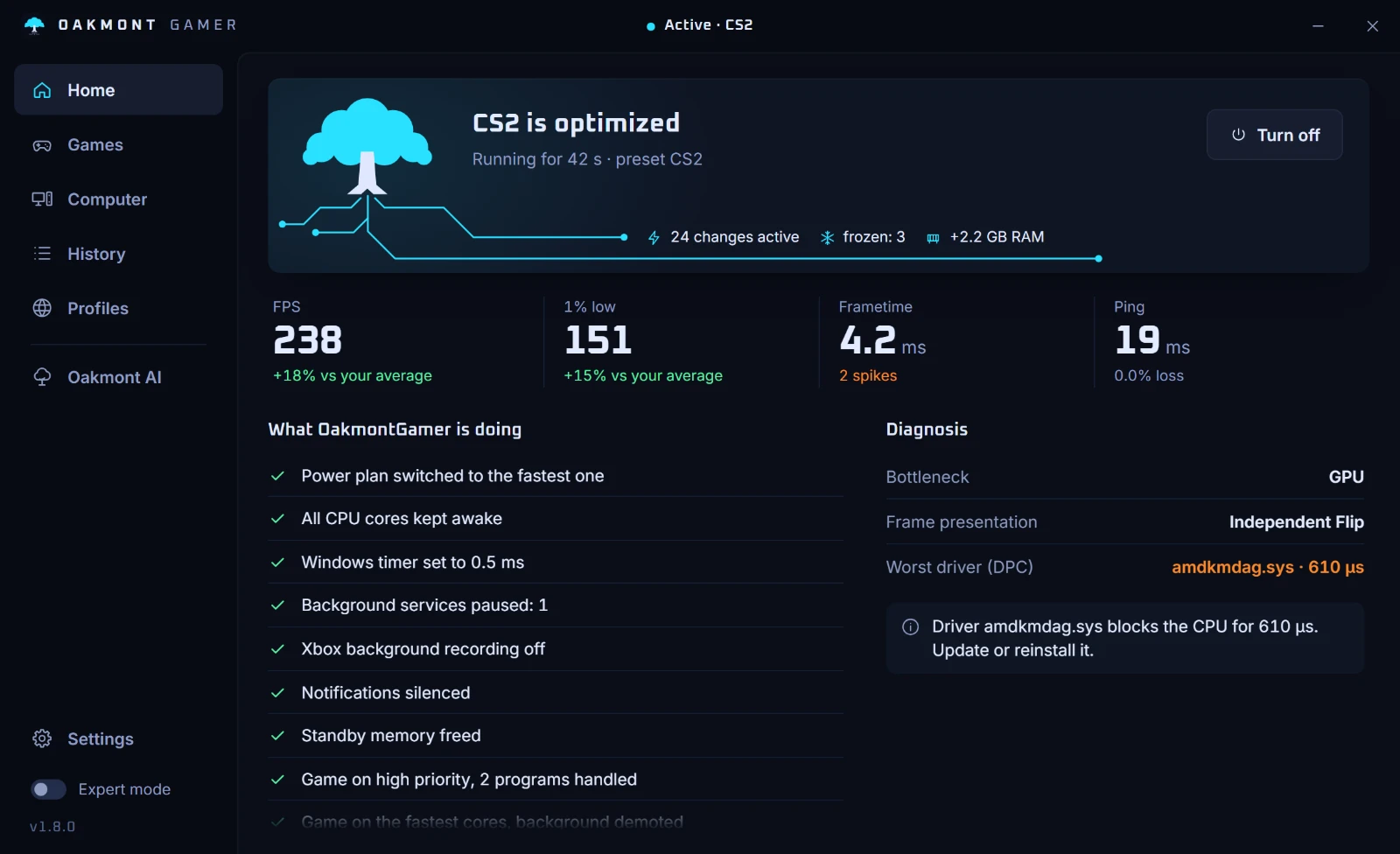
Oakmont Gaming makes tools for people who play on PC. The first one is OakmontGamer: it changes Windows for as long as a game runs, measures what each change did, and undoes all of it when the game closes.
The first product
- Product
- OakmontGamer
- Platform
- Windows, 64-bit
- Price
- €14.99
€29.99First month price - Where
- Microsoft Store
- Languages
- English, Polish, German
Windows plays for your game while it runs. When the game closes, OakmontGamer puts every change back.
One session, start to finish
It spots the game
Finds games from Steam, Epic, Ubisoft and the Minecraft launcher, and follows whatever game is in the foreground.
It changes Windows
Power plan, timer, services, priority and CPU cores, from the game's profile: Balanced, Competitive or Max.
It measures
Frame rate, 1% and 0.1% lows, frame-time spikes and the driver behind each one, ping, jitter and loss, temperatures.
It puts it back
Every change is written to a journal before it is made, so it can be undone on exit, on logoff, after a crash, or all at once with Restore everything.
Why a compliance company makes a gaming app
Everything Oakmont sells rests on a few rules: measure before you claim, keep a way back, and say what you will not do. They turned out to fit a tuning app for Windows better than anything else we could have given it.
- Measured, not claimed
- A change stays only when it beats the noise between runs on your own sessions. One that does not win is reverted.
- Always a way back
- Every change is written to a journal before it is made, so it is undone on exit, after a crash, or all at once from Settings.
- Refusals on the page
- Nothing is injected into the game, sync clients are never frozen, and changes that need a reboot are left for you to apply.
- No invented numbers
- No benchmark claims. The figures in the app are the ones it measured on your PC.
Guides
How to find the cause of a stutter, read 1% lows and test a tweak yourself. Every step works without the app, and each guide shows which ones the app does for you.
- CS2 stutter: how to find what causes it
- CS2 launch options: which work, which do nothing, which hurt
- 1% low FPS: what it means and how to measure it
- Ping spikes: how to test for bufferbloat and fix it
- Windows settings for gaming: what helps and what is a myth
- Rust stutter and FPS: the causes and the settings that matter
- Valorant stutter: what to check, in order
- Fortnite stutter: the causes and the fixes that work
- Apex Legends stutter: texture streaming, shaders and the FPS cap
- Warzone stutter on PC: shaders, streaming and video memory
- FPS drops every few seconds: find the cause by its rhythm
- DPC latency: find the driver behind the stutter
More to come, named when it ships
OakmontGamer is the first product in the line. Others get a name on the gaming site when they are ready, not before.